
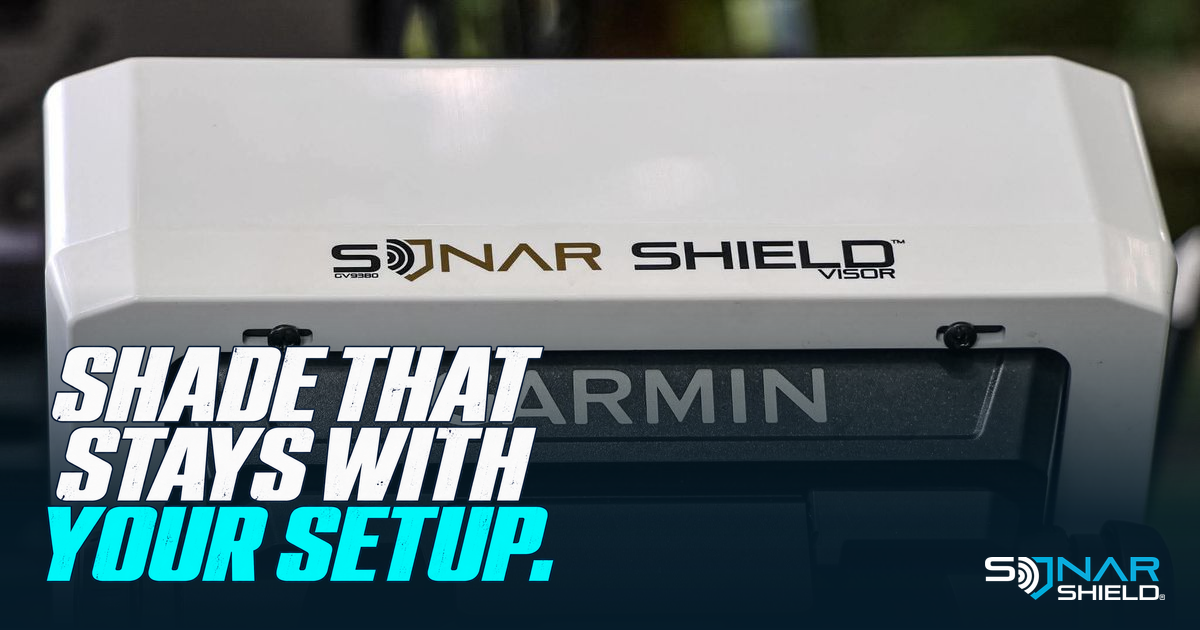
Shop the Sonar Shield Garmin ECHOMAP UHD & UHD2 9-inch visor
A fish finder visor is a small part of the console or bow setup, but its placement matters. It brings shade around the display while leaving you a practical view of the screen and access to the controls. Sonar Shield's bolt-on option is designed for the compatible Garmin ECHOMAP models named in the product listing.
Look beyond screen size
“Nine-inch Garmin” is only a starting point. Find the full ECHOMAP model name on the unit or its product information, then compare it with the visor listing. Screen size alone does not establish the correct housing, mounting points or accessory fit.
The linked Sonar Shield listing identifies ECHOMAP UHD and UHD2 93sv compatibility and a bolt-on installation. Do not assume that every Garmin display with a similar screen size uses the same visor. If your exact designation is unclear, send the full model information to Sonar Shield before purchasing.
Why the attachment style matters
This version attaches at the back of the fish finder rather than relying on a clip-on edge. The installed visor shown here demonstrates that rear attachment arrangement. Use the supplied hardware and fitting directions; do not invent new mounting holes or tighten hardware by guesswork.
During installation, keep cables free of pinch points and confirm that the visor and mount have adequate clearance. Check the range of movement you normally use with the equipment safely secured. The visor should support the way you view your electronics, not force a cramped display angle.
Shade and screen angle work together
A visor changes how light reaches the display. Its effect depends on the sun angle, the position of the unit and where you are viewing it from. Adjust the display angle within the mount's instructions and keep the screen clean using Garmin's care guidance. No visor can eliminate glare from every direction.
Choose brightness for the actual conditions and safe readability. We are not assigning a battery-life gain or promising that a visor allows a particular brightness reduction; those outcomes depend on the display and conditions.
Check everyday access
- Can you reach the buttons or touchscreen comfortably?
- Does the unit move through your normal viewing angles without interference?
- Are rear cables and connections clear?
- Does the OEM screen cover fit as directed for the compatible setup?
The product listing describes compatibility with the OEM screen cover. Confirm that arrangement on your installation rather than applying it to a different display model.
Choose the visor for your unit
If this is the accessory your ECHOMAP setup needs, check the current Sonar Shield bolt-on visor listing. A clear model match and a thoughtful fit check make the purchase more useful than choosing by size alone.
Photo: Sonar Shield's supplied product library. Product details: the linked Sonar Shield visor listing.
Created with AI assistance using Sonar Shield's topic direction and research from the sources cited in this article.